Read CPU/GPU/chip temperature on M1/M2/M3 Macs (Apple Silicon) under macOS Sonoma
Here, in brief, is the trick for reading temperatures on Apple Silicon Macs (M1/M2/M3 series) under macOS Sonoma — because familiar old tools like "osx-cpu-temp" and Apple's own tool "powermetrics" do not provide temperature readings on the newer Apple-designed chips.
While full programs with their own user interface have existed for quite some time, I wanted to find a command-line tool (CLI) that would read out the temperatures for me. Less overhead and readable from my own scripts — that is the clear advantage of command-line tools. And that's why I was very happy when I recently found the apple_sensors project on GitHub.
Installation
Unfortunately, apple_sensors is not already compiled, but still has to be manually machine-translated. Luckily, this is very easy to do:
- Download and install Xcode from the App Store
- Clone the GitHub repository (either download the ZIP from the website or via git clone https://github.com/fermion-star/apple_sensors.git
- In the "apple_sensors" folder, run the command clang -Wall -v temp_sensor.m -framework IOKit -framework Foundation -o temp_sensor
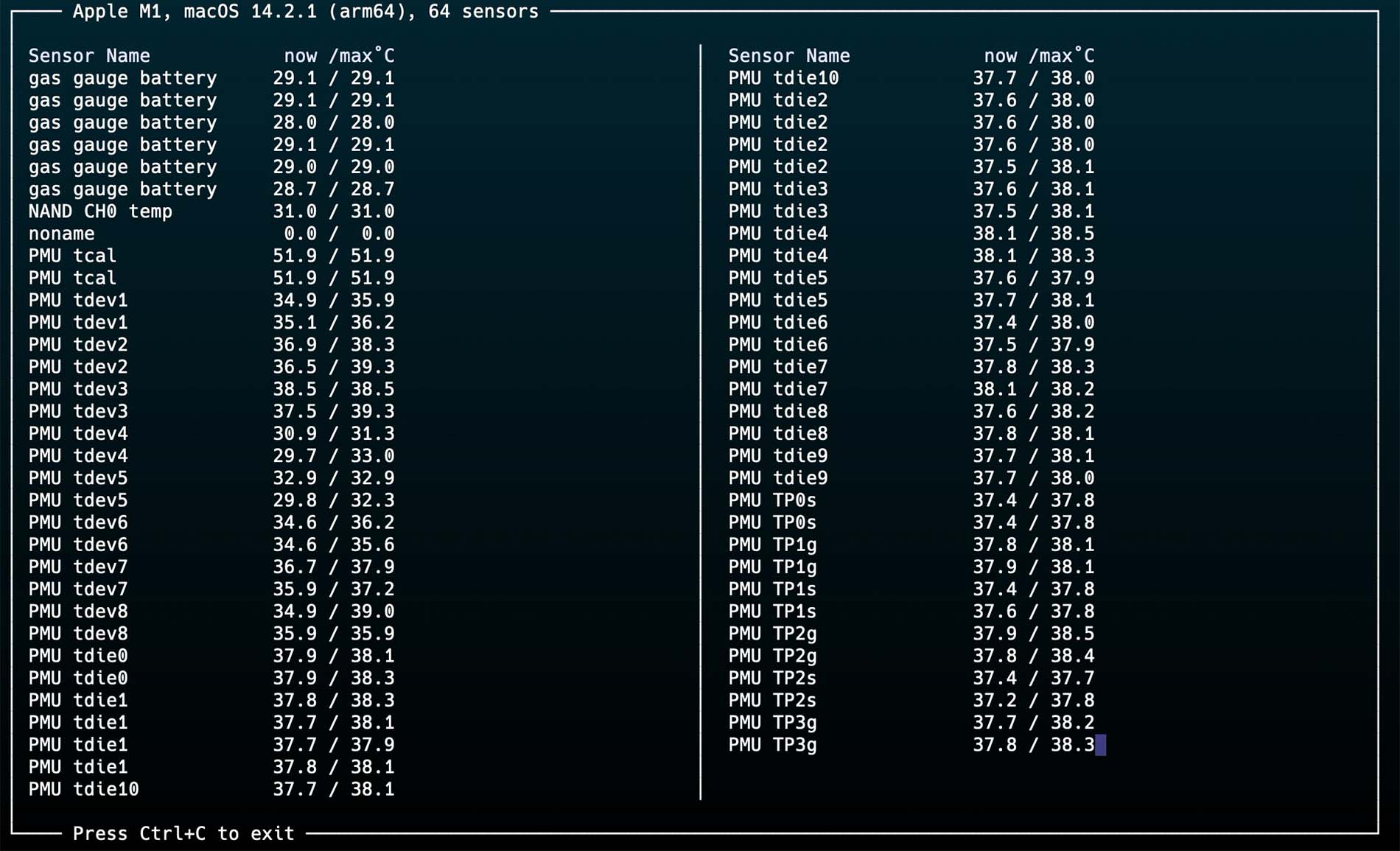
- You can now already run ./temp_sensor
or ./temp_sensor | ./monitor.py
for a somewhat tidier view. For the latter command, Python 3 must be installed on the system.
I have also made the precompiled file available for download here. Of course, I cannot guarantee that it will work — the file was compiled on an M1 chip.
So much for finding out chip temperatures on Apple Silicon Macs. Have fun!