A platform comparison: Arduino, Raspberry Pi, and (almost) everything in between
Whether you're a maker, hardware developer, or researcher: Different hardware platforms offer different possibilities and features that need to be considered when designing a project. This post accompanies the talk of the same name from Pi and More 12¼.
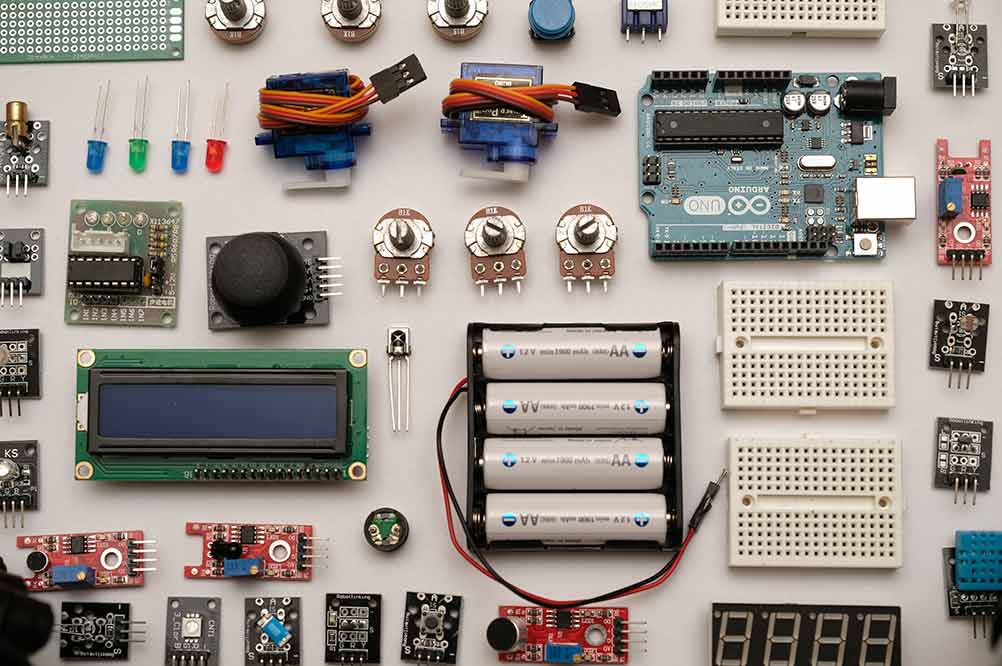
Almost every time you plan a new project, you end up asking yourself the same question: Which microcontroller is the best fit for the project? I gave a talk about this decision-making process on January 23, 2021 at "Pi and More 12¼": When should you use which development platform so that the project can be built on a solid foundation?
The options seem endless: The Arduino family alone includes 34 products, and since 2012 the Raspberry Pi Foundation has released no fewer than 12 Raspberry Pis for the average consumer (so, excluding the special Compute Modules). On top of that, there are hundreds of other development boards sold by many different manufacturers. So it's high time to bring at least a little order to this jungle.
The possibilities
The first decision should be whether you want to use a development board with a microprocessor (MPU, e.g. the Raspberry Pi series) or a microcontroller (MCU, e.g. the Arduino family) in your project. Both options have advantages and disadvantages when it comes to integration.
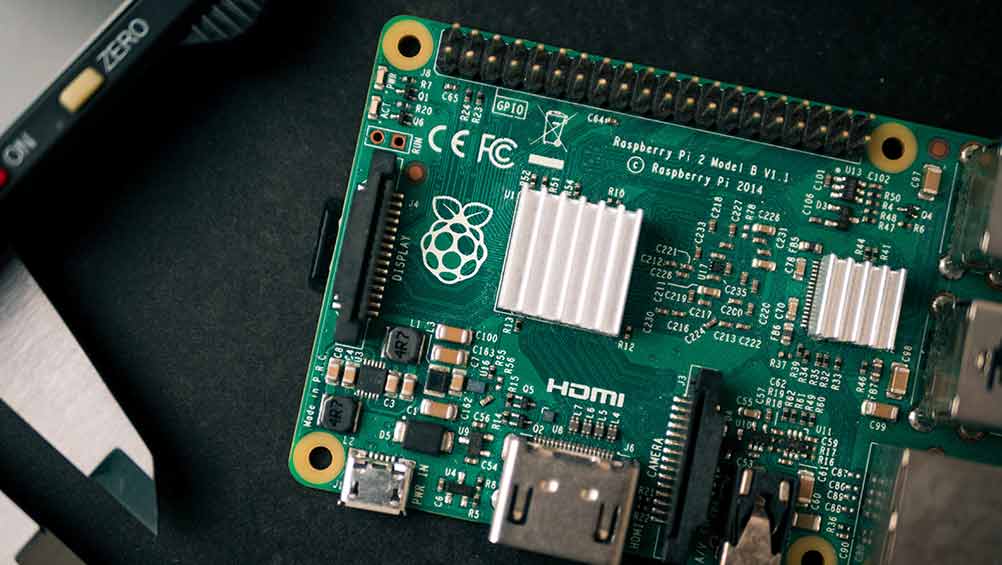
As a general rule: If you depend on a full-fledged operating system (Linux, BSD, Windows 10 IOT Core, ...) and/or need a lot of storage space, you're usually better off with a microprocessor. But if low power consumption and low cost matter more, you should take a closer look at the world of microcontrollers. More detailed reasoning can be found in the presentation slides. I can also recommend a very good article by Atmel on this topic, which breaks down the reasons in more detail and also gives examples: MCU vs. MPU: article by Atmel
When it comes to choosing a specific platform, things get even more difficult: Several hundred development boards are available, and dozens of manufacturers compete with different features and prices in every segment. That's why I want to focus here on the most popular boards, which make up around 95% of the market: the Arduino development platform, the Raspberry Pi family, and the microprocessors from espressif (ESP32 and ESP2866), as well as the Teensy boards and the BeagleBoards (from Texas Instruments, Digi-Key and Newark element14).
Arduino
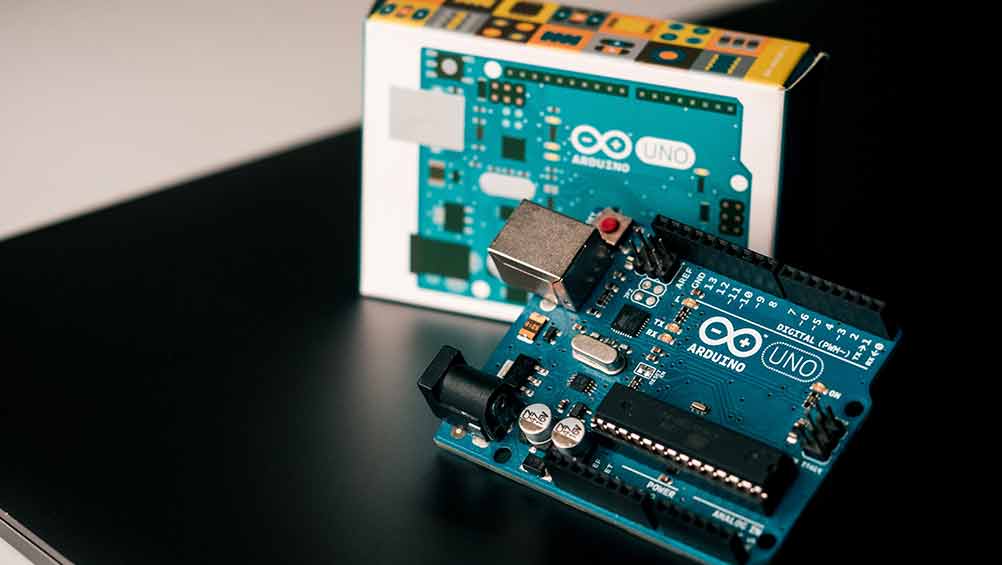
The Arduino product family should be familiar to most people. As one of the cornerstones of the maker movement and one of the oldest manufacturers of microcontroller development boards, the Italian company has made a name for itself. Especially suitable for beginners is the so-called Arduino IDE, the development environment for Arduino boards. Arduinos are usually equipped with an Atmel microcontroller, and a lively add-on ecosystem (also called "libraries") helps even when communicating with more complex sensors.
Arduino boards can roughly be divided into two categories:
Beginner boards:
- Arduino Uno, a microcontroller board based on the ATmega328P. No huge amount of memory and not very many I/O pins, but very affordable and great for beginners.
- Arduino Nano, technically similar to the Arduino Uno, just much smaller and can be plugged directly into breadboards. Well suited for projects that don't need a huge feature set while also being limited in space.
- Arduino Nano Every, like the Arduino Nano, just with more memory
- Arduino Leonardo, visually similar to the Arduino Uno, but with the ability to present itself as a keyboard and mouse, making it possible to build things like game controller projects.
Boards with extended features:
- Arduino Mega 2560, a microcontroller with more memory and many more I/O pins. Perfect for larger projects that rely on lots of expansion options.
- Arduino Mega 2560 Pro, comparable to the Arduino Mega 2560, just with a much smaller footprint. Not an official product of Arduino LLC, but technically identical to the Arduino Mega 2560.
- Arduino Pro Mini, the smallest board on this list. Without a built-in USB port, it's good for projects where every millimeter counts.
- Arduino Zero, a board with a 32-bit processor, a lot of computing power, and more storage space. It also includes a debug interface that makes troubleshooting easier.
- Arduino Due, the Arduino Mega 2560 combined with the Arduino Zero (32-bit processor, more memory)
PlatformPicker (GitHub) The slides from the talk
The Raspberry Pi family
While Arduinos are built almost exclusively around so-called microcontrollers, Raspberry Pis are exclusively microprocessor boards that run Linux. One exception is the Raspberry Pi Pico, which was released this week. It does have a microprocessor, but it runs without a proper operating system and is therefore more comparable to an Arduino.
The Raspberry Pis that run Linux and are intended for home users can be divided into two categories:
The Model B series, which offers lots of performance and connectivity, and the Zero series, which advertises minimal power consumption and small size.
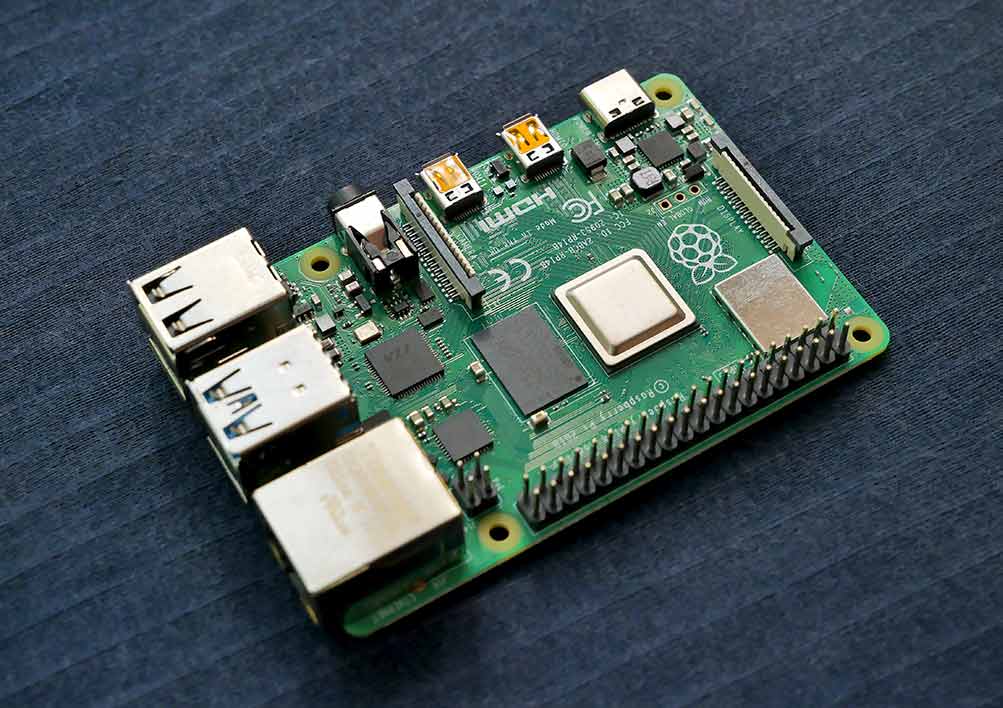
Raspberry Pi Model B series
With lots of ports and strong performance, the classic Raspberry Pi board series is a universally good fit for all projects that don't necessarily have to run on batteries. The newer boards feature four Cortex-A72 cores clocked at 1.5 GHz which, together with a Broadcom Dual Core VideoCore VI, can even output dual 4K resolutions via Micro-HDMI. Up to 8192 MB of RAM can be installed, and 26 GPIO pins offer plenty of room for expansions (e.g. HiFiBerry). WiFi and Bluetooth have been on board since the third generation. Power consumption of up to 7 watts is still within reason, especially considering the performance.
Raspberry Pi Zero series
The Zero series is getting a bit old by now (time for a new edition :)), but its especially low power consumption still makes it attractive for certain projects. Besides the low power usage, it also has a small footprint: a Raspberry Pi Zero (and Zero W/WH) needs just 65 mm by 30 mm. The board's technical specs are comparable to the first Raspberry Pi generation: a 32-bit ARM11 processor(core) can access 512 MB of RAM, and a Broadcom Dual Core VideoCore IV can output up to 1080p at 30 Hz. The W and WH versions of the Raspberry Pi Zero also support WiFi and Bluetooth.
Espressif ESP2866 and ESP32 microcontroller boards
With the rise of smart homes and sensors that send their data to the internet, one type of microcontroller rose to prominence in particular: the Chinese company Espressif, with its ESP2866 microcontrollers, was an early producer of 32-bit microcontrollers that fundamentally took the internet aspect into account. The ESP2866, which was released first, only really became well known in 2014 through a project by Ai-Thinker (ESP-01 module). In 2016, the successor to the ESP2866 followed: with the ESP32, Espressif also added Bluetooth to the overall package, while increasing processor speed and expanding memory.
In the home user scene, two board designs are mostly used: those of the NodeMCU series and those of the WEMOS series. The NodeMCU series is sold in versions 2 and 3, while WEMOS is mainly encountered in the "D1 Mini" variant - one of the smallest boards for ESPs today.
ESP boards are especially recommended when data needs to be sent to or information retrieved from the internet.
Teensy boards
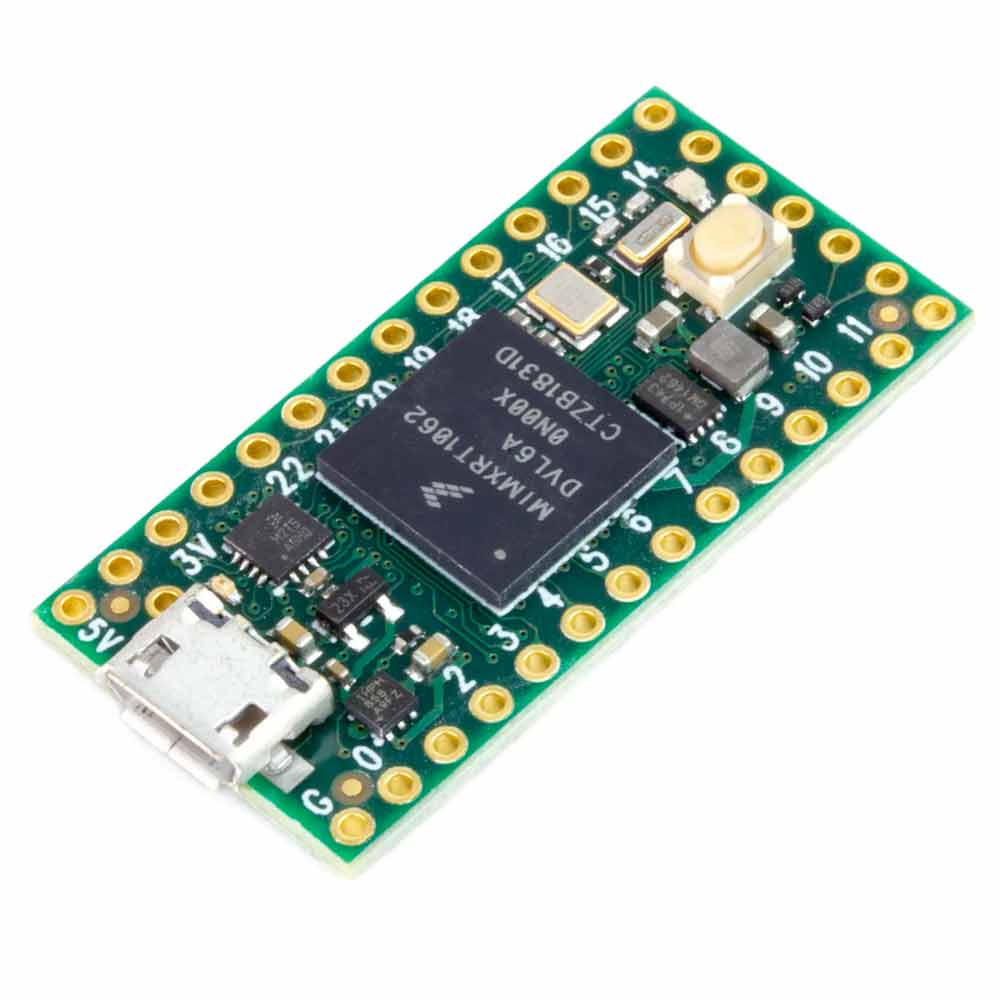
The Teensy boards, shown in the picture as version 4.0, are a very powerful platform: a 600 MHz ARM Cortex-M7 processor can solve very complex computational tasks in a short time, and the platform also offers a great many connections and lots of possibilities for implementing complex projects. Plenty of memory and special cryptography accelerations are just some of the features you can build into large projects.
BeagleBoards
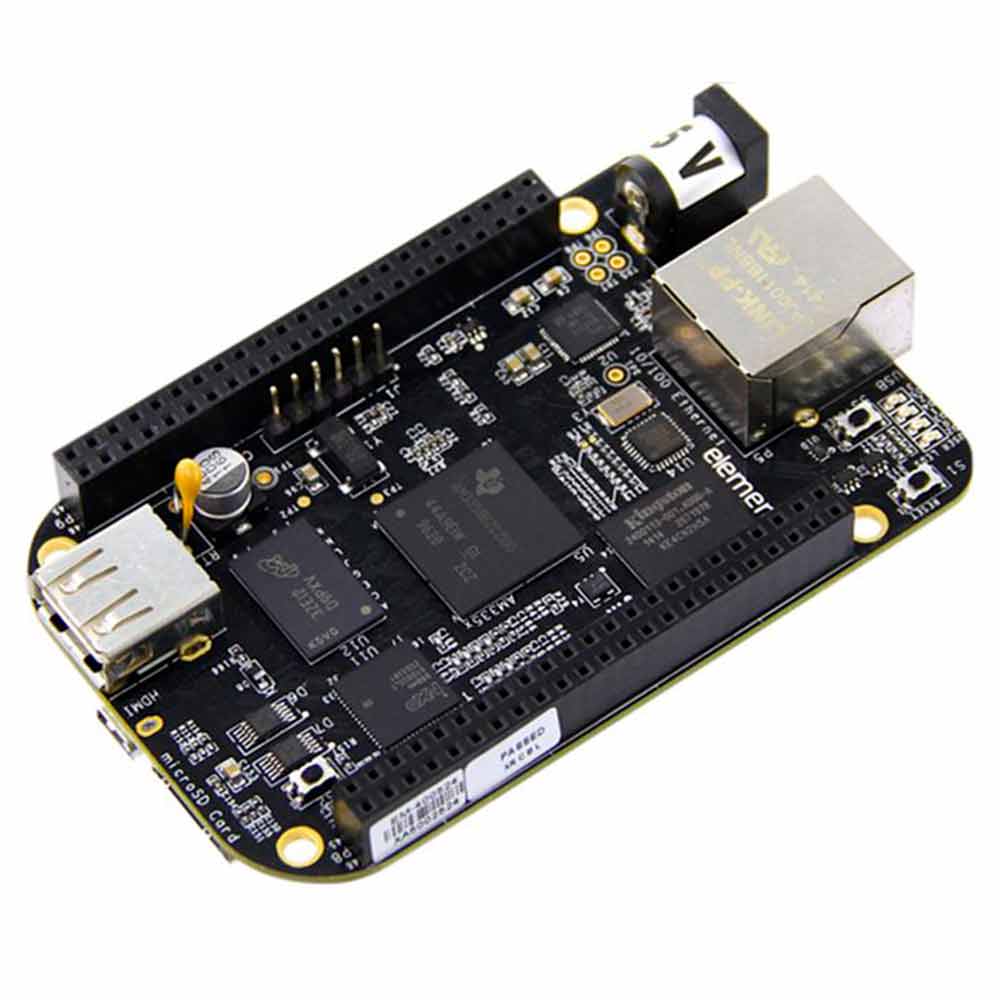
BeagleBoards are one of the old hands of the single-board computer world, more or less regularly supplied with new features by a large community. There are now BeagleBoards for many different use cases, including a model with RISC-V processor architecture.
In terms of speed, the boards are not directly comparable to Raspberry Pis, but they do have a small amount of RAM and in some cases more storage.
Talk info
The slides from the talk PlatformPicker
//Changelog:
2021-04-22: Fixed typos (thanks Martin for the note!)